The most important issue regarding the use of external objects with textures is to find ones with proper textures. It is not a easy task to apply textures to objects with no texture coordinates in its geometry. See in the project below an example of OBJ and GLTF objects with textures.
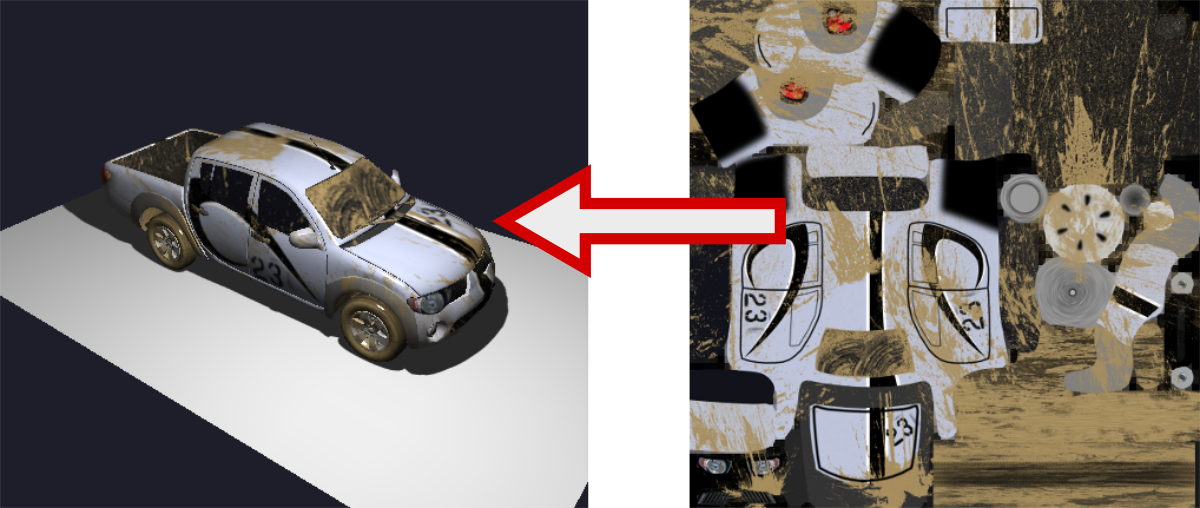
Open in a new tabThe process of loading objects with textures is straightforward (see this link for details). The main problem when using external objects with textures is to check if the files are correct. Let's see the OBJ structure for instance. The texture is normally called through the MTL file as shown in the code below (in this example, the L200.png file).
		newmtl blinn1SG
		Kd 1.00 1.00 1.00
		Ka 0.00 0.00 0.00
		Tf 1.00 1.00 1.00
		Ks 0.30 0.30 0.30
		Ns 600
		Ni 1.00
		illum 2
		map_Kd L200.png
The whole texture is normally storage in a single file as shown in Figure 1.
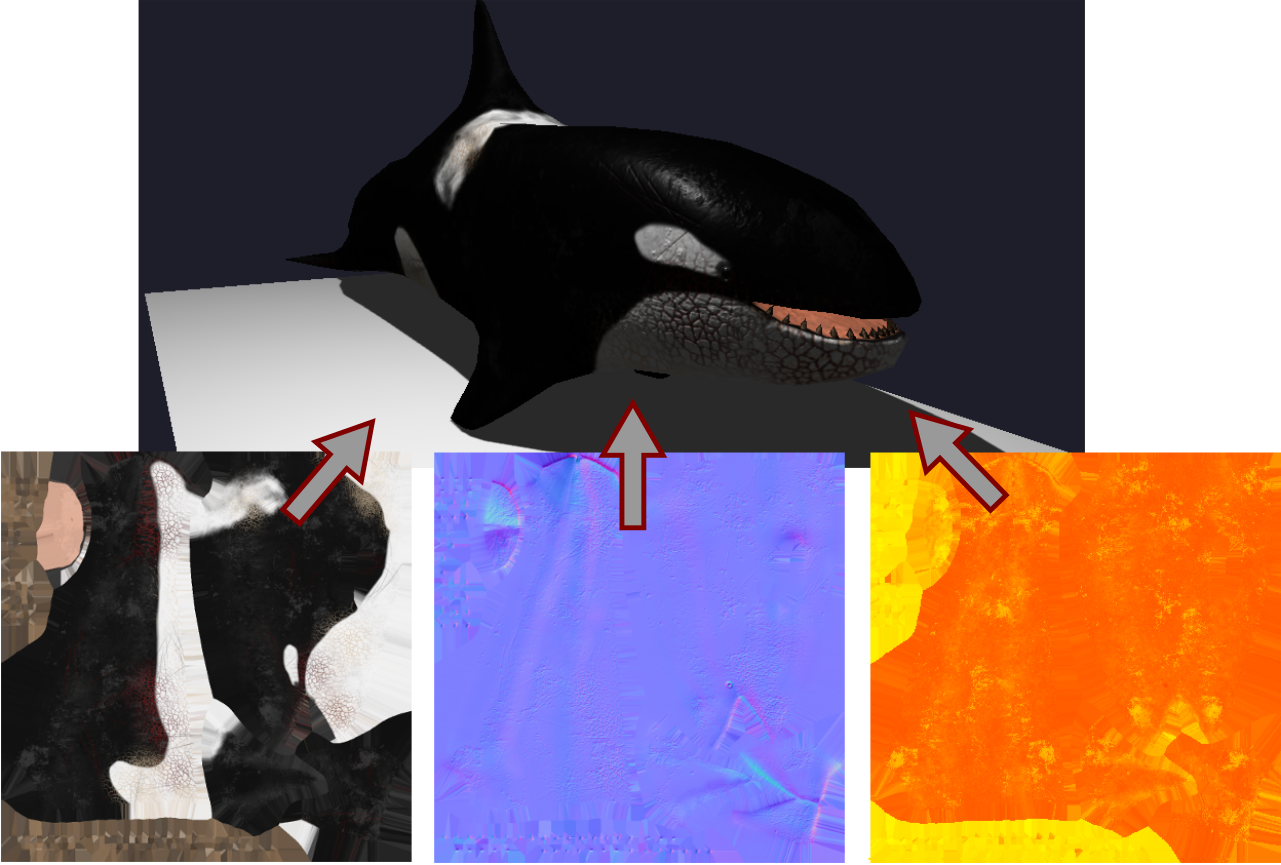
More sophisticated objects can use multiple texture files to represent different parts of the object or different visual aspects as shown in Figure 2. In this example we have the orca GLTF object composed by three textures, one for the basic material, the second for metallic roughness and the last one representing the normal map. All files are called from the scene.gltf file inside de orca folder.
Important: To load external files you have to create a local server. See detailed information of why and how here.